Job Manager Update
Job Manager is one of Cost Control Software’s most used add-ons and with good reason. Job Manager was developed to enhance the Jobs module of Microsoft Dynamics 365 Business Central. The module adds fundamental usability improvements making it easier to manage resources, track job status, record consumption of items, schedule job tasks, view costs and material requirements and manage subcontractor activities, all within a single integrated software solution.
We are always looking for ways to improve our products by adding new features, most of which come from the suggestions of our customers who are using the product daily. The latest version of Job Manager includes a couple of new features which we would like to present in this blog post.
Overview of new features as 0f 07/30/23:
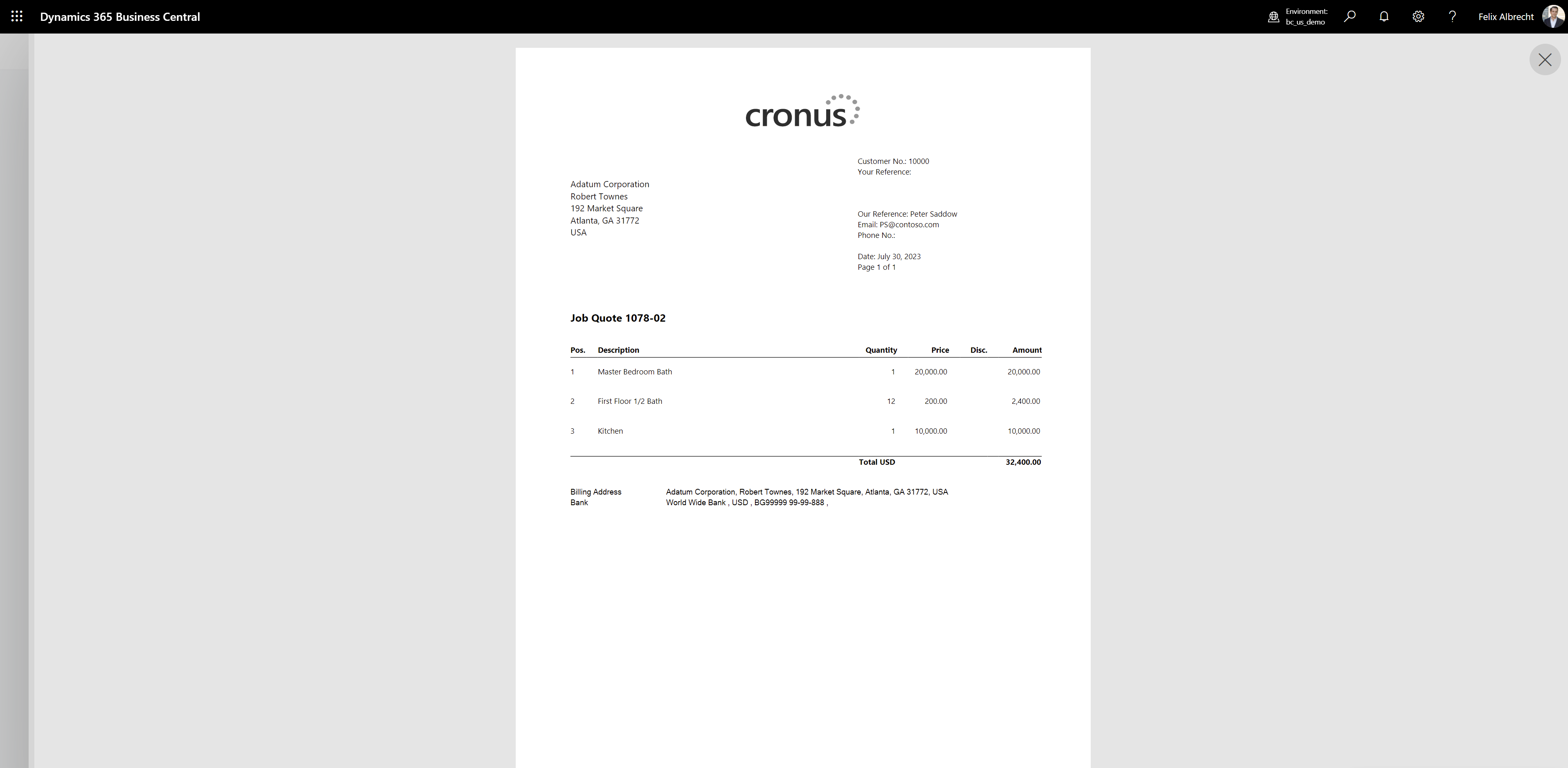
- Redesigned Job Quote. The report layout can either be based on Job Tasks and show comments or based on Job Planning Lines. This allows printing quotes with details either grouped together or itemized as on a Sales Quote.
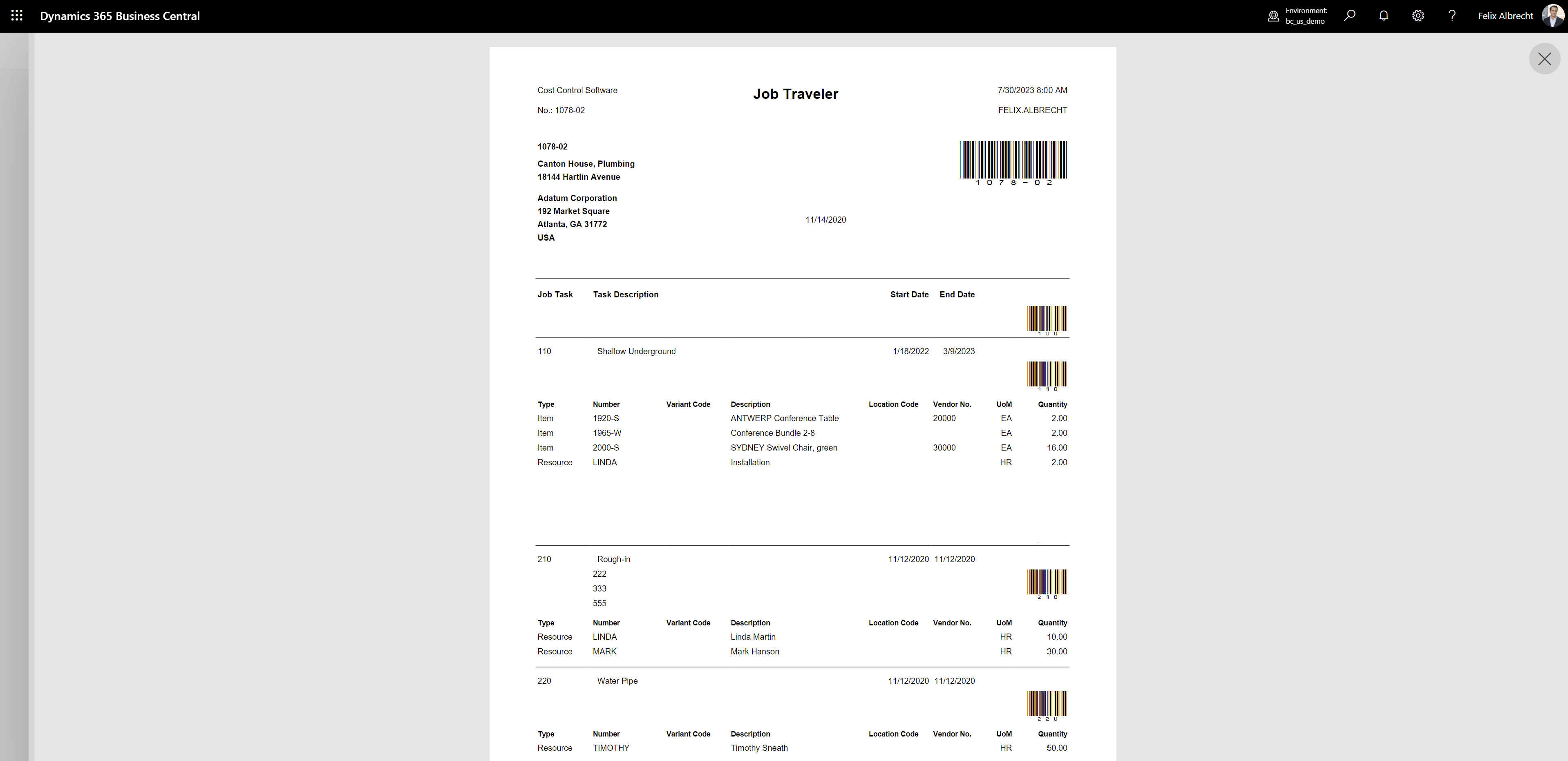
- Redesigned Job Traveler added option to include “Enter” in barcodes for better compatibility with Time Entry. The Job Traveler is an important report for the shop floor to see the details of a Job and to clock-in and out to Jobs and Job Tasks. The latest version has been redesigned to include all relevant information and print comments.
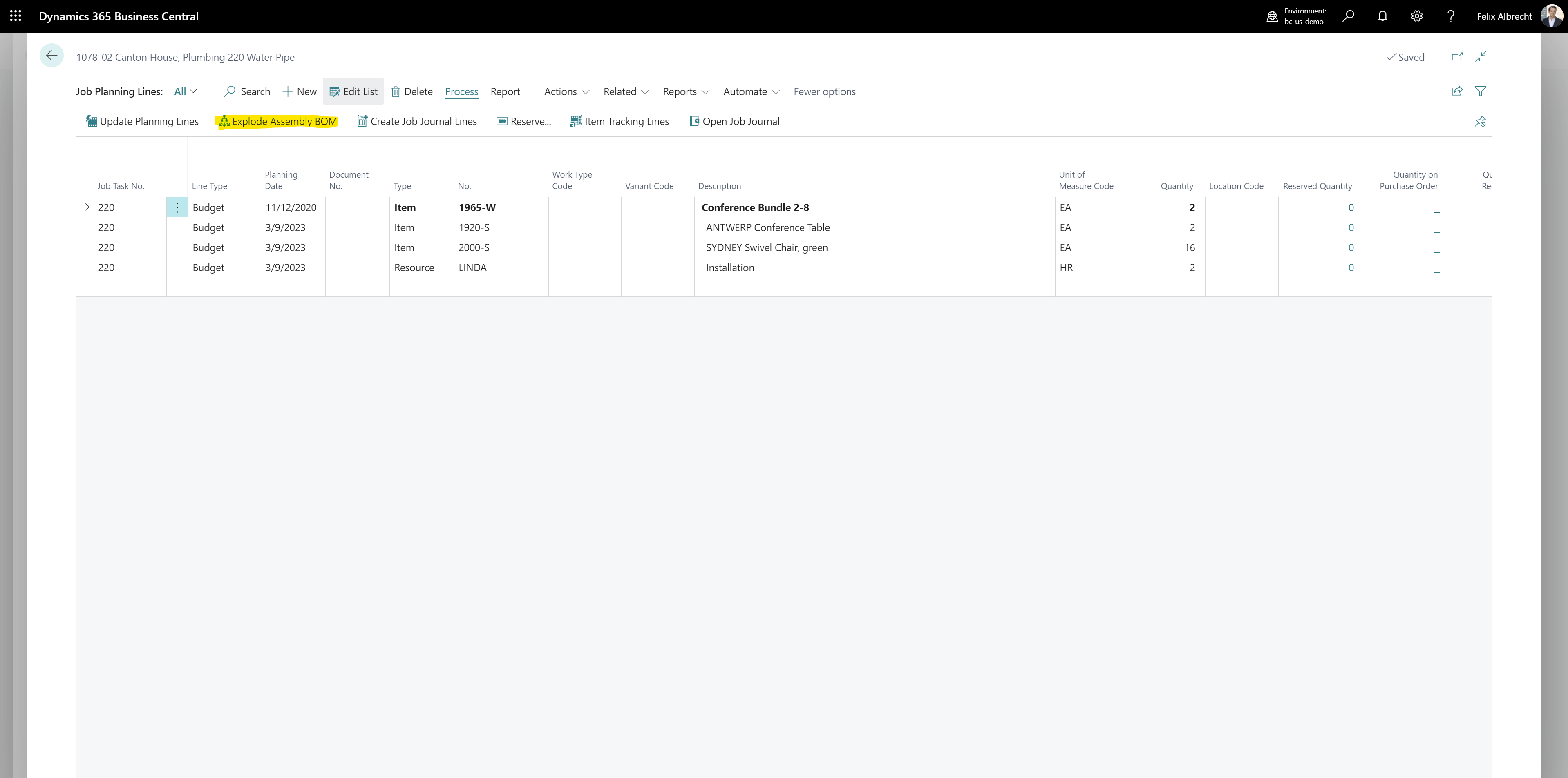
- Integration of Assembly BOMs into the Job Planning Line allows to explode an Assembly BOM in Job Planning Lines. With this new feature, predefined assemblies can now be exploded into a Job Planning Line. These assemblies can include items and resources and once exploded, the different components can either be purchased order consumed from stock.
- Extension of Job Purchasing to allow purchasing of Resources.
In addition to these new features, the below overview shows some of the major new developments added to Job Manager during the last year.
Additional features added within the last year:
- The new feature Job Shipping allow integration of Sales Shipments into Jobs. Instead of just consuming items on a Job, Job Planning Lines can be shipped to a job site.
- New Job Billing cockpit that shows all jobs with billable lines and allows the user to issue a new invoice from one screen.
- Improved billing options that include milestone, time and material, prepayment and retainer-based billing. Milestone based billing can be done with a percentage based on the contract amount of a job.
- Improved Planning Line Import to automatically create an item for lines that don’t exist as Item yet. The new item will be created based on a predefined template.
- Improved copy function now allows copying an entire job structure with master and sub jobs.
The latest version available on AppSource already includes these new features. For more information about these features or to schedule a demo of Job Manager please contact Jennie Gearhart at jennie@costcontrolsoftware.com
-
Posted date
30 July 2023
-
Author

Jennie Gearhart Sales, Marketing
-
Feedback
Email us if you have any comments or questions about this article.